Why Zoya Game Using the App?
In today's busy world, no one has time to sit at a desktop just to play games. That's exactly the thinking behind Zoya Game has built their mobile app — a lightweight, fast, and enjoyable app that carries an entire gaming world right in your pocket.
Want to spin the slots on your commute? Place a live sports bet during your lunch break? Or unwind with a casino game before bed? Zoya Game's app is always with you. It works on both Android and iOS, and from download to your first game takes just a few minutes.
The app's interface is designed with Bangladeshi users in mind. With Bengali language support, intuitive navigation menus, and well-placed buttons, it feels comfortable and familiar to use.
Did you know? Zoya Game's app users spend on average 35% more time active compared to the web version — because the app is genuinely convenient.

Main App Features
Zoya Game's mobile app comes with features that will genuinely surprise you.
Fast Loading
Loads in just 2-3 seconds — games run smoothly even on a weak network. No issues even on a 3G connection.
Secure Login
Supports biometric authentication (Fingerprint / Face ID). Your account stays secure at all times.
Push Notifications
News about new offers, bonuses, and major events will be delivered straight to your phone — so you never miss a thing.
Dark Mode
Turn on dark mode for a more comfortable viewing experience at night. Easier on the eyes and better for your battery.
Bengali Language Support
Use the platform entirely in Bengali. Menus, buttons, help — everything is available in Bengali.
Automatic Updates
When new games are added or improvements are made, the app updates itself automatically — no manual action required.

On Android Zoya Game Install the App
On Android Zoya Game Installing the app is straightforward. Even if it's not on the Google Play Store, you can easily install it using the APK file. Just follow the steps below:
Open Settings
Go to your phone's Settings > Security and enable the Unknown Sources option.
APK Download
Download the latest APK file from the official Zoya Game website.
Install
Tap the downloaded APK file and press the "Install" button.
Log In
Open the app, log in to your account, and start playing!
Once installation is complete, opening the app takes you straight to the home screen where all game categories are laid out. On your first login, you may also receive a welcome offer — so don't miss it.
On iPhone & iPad Zoya Game How to Use
On Apple Devices Zoya GameYou don't need to install anything from the App Store to get the full experience. On iOS, simply add a shortcut to your home screen using the Progressive Web App (PWA) method — it works just like a native app.
For iOS Users: Open zoyagame.vu in Safari, tap the Share icon at the bottom, then select "Add to Home Screen". That's it — a Zoya Game shortcut will appear on your home screen.
This PWA method requires no downloads or installation hassle. Push notifications are supported on iOS 16.4 and later. On iPhone 11 and newer models, games display with excellent graphics.
Many users say that Zoya Game's web app runs smoother than some native apps — because it always runs on the latest updated version with no manual updates required.
Minimum System Requirements
| Platform | Minimum OS | RAM | Storage |
|---|---|---|---|
| Android | Android 6.0+ | 2 GB | 50 MB |
| iOS | IOS 13.0+ | 2 GB | Online (PWA) |
| Browser | Any modern browser | 1 GB | Not required |

What Games available?
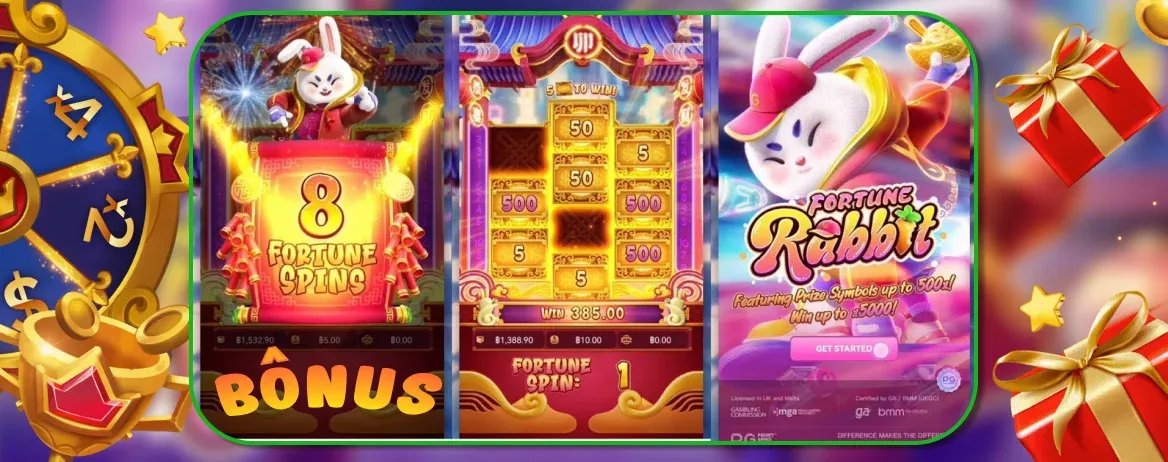
Zoya Game's mobile app offers hundreds of games, each optimized specifically for mobile screens. Control everything with a touch, enjoy screen rotation support, and use the autoplay feature for added convenience.
New games added every week Zoya Game. With games from multiple software providers all in one place, the variety never runs out. Tap any game thumbnail to try it in demo mode — a great way to get familiar before placing real bets.
The app also features a personalized "My Favourite Games" list, a history of recently played games, and a real-time leaderboard. All in all, Zoya Game's mobile app is a complete gaming hub.
In the App Payments & Withdrawals
Zoya Game's app lets you deposit and withdraw directly. Transact via popular mobile banking, bank cards, and e-wallets available in Bangladesh.
Mobile Banking
Deposit and withdraw directly via the country's popular mobile banking services. Transactions are typically completed within minutes.
Bank Cards
Visa and Mastercard accepted. Add funds directly from your card and withdraw your winnings with ease.
E-wallet
Transactions are also supported via various digital wallets. Your financial information is protected with secure encryption.
For detailed information about withdrawals, please visit our Withdraw View the page.
Why Mobile Gaming Popular happening?
The number of smartphone users in Bangladesh is growing rapidly every year. With internet connections becoming more affordable and 4G networks expanding across the country, mobile gaming has seen a significant rise. People now see gaming not just as entertainment, but as a natural part of how they spend their free time.
Zoya Game seized that opportunity. They understood that users in Bangladesh want a gaming platform that is simple, fast, and reliable — one that works well on mobile, offers support in Bengali, and makes transactions hassle-free. Delivering all three is exactly why Zoya Game's app has gained popularity so quickly.
Another great advantage of the app is that it lets you play certain games in demo mode offline. Even without an internet connection, you can still practice. Once you're back online, your saved progress syncs automatically.
Most importantly, Zoya Game's customer support team is active 24 hours a day. You can reach them via live chat directly from within the app — help is just a tap away whenever you need it.
Quick Facts
- Free Download
- Android & iOS Support
- Bengali Language Interface
- 24/7 Live Support
- Secure Encrypted Transactions
- Push Notifications
- Auto-Update Feature
Common FAQ (FAQ)
Here are answers to the most frequently asked questions about the app.